
Kindle Paperwhite after 34 books abroad: brilliant, with one catch for UK library users
Sandra said I packed more books than shirts. So I read 34 books on a Kindle Paperwhite over 15 months, and found the one thing UK library users should know first.
 By Nigel Stubbs, travel tester, retired coach driver
Tested in Norwich · 4 September 2026 · 11 min read
- Crisp 7-inch screen you can read in Spanish midday sun
- 19 days of holiday reading per charge
- Survived half a minute at the bottom of a bath
- Weighs less than one fat paperback
- UK library e-books won't go on it
- Lock screen adverts unless you pay to remove them
- No physical page-turn buttons
- Colorsoft text looks slightly greyer
Short version: for novels on the move, the Paperwhite is still the e-reader to beat. Buy the Colorsoft only for comics, cookbooks or picture books. And if you borrow most of your books from the library, read the section on libraries before you spend a penny.
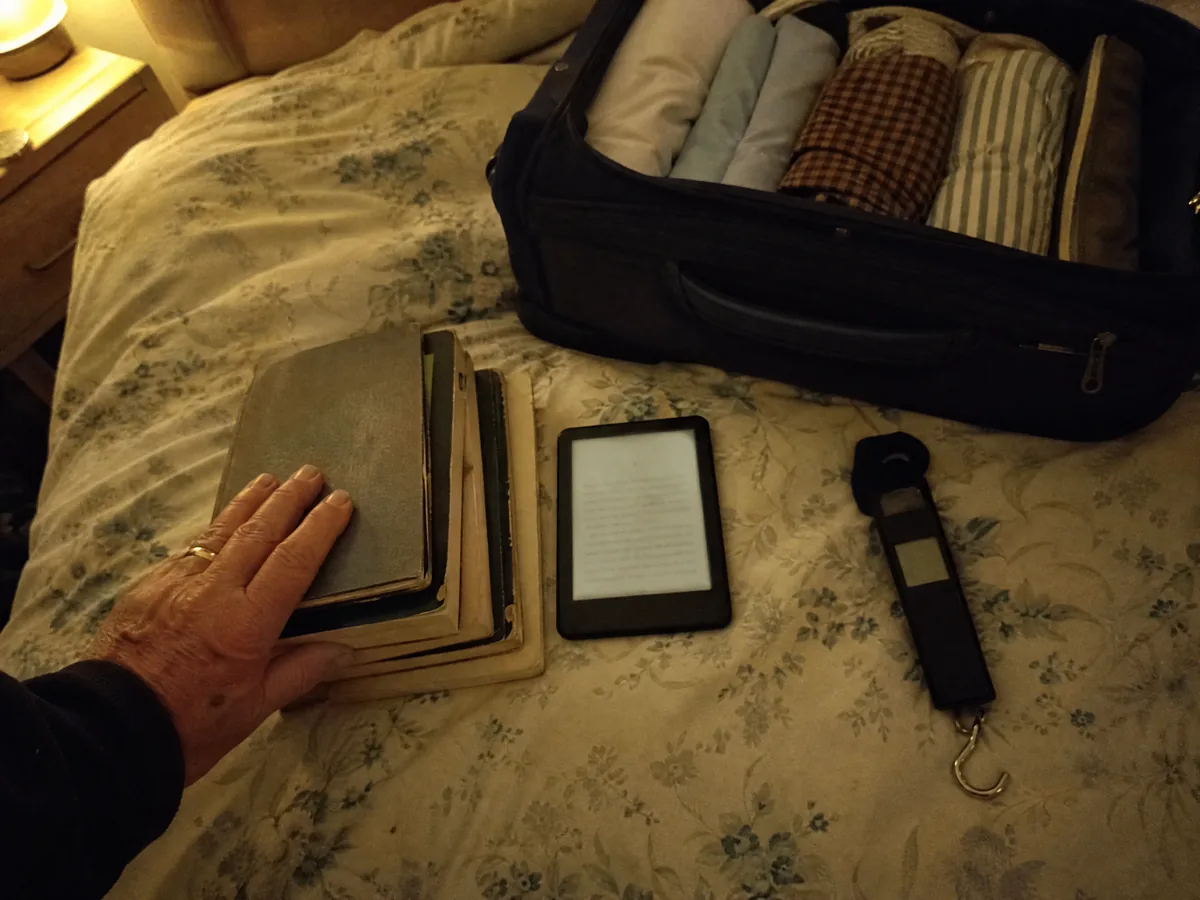
"You've got more books in that bag than shirts, Nigel." Sandra said it in our spare room in the winter of 2024, the night before a flight from Stansted, while I hung the case from my luggage scale and moved paperbacks into my coat pockets to get it under 10 kg.
She had a point. I'd packed five of them for a fortnight on the Costa Blanca, all from the charity shops on Magdalen Street in Norwich, and together they weighed 1.3 kg. That's thirteen per cent of a cabin allowance spent on paper. For 31 years as a coach driver I'd read on every break, in lay-bys from Calais to Salzburg, and I left each finished book on the back seat for the next tour group. Paper was part of the job. I never thought I'd give it up.
In June 2025 I bought a Kindle Paperwhite, the 7-inch model that's still the current one, and since then I've read 34 books on it across 19 trips. That includes ten weeks in a rented flat in Albir last winter and three rough crossings from Harwich to the Hook of Holland. In March I added a Kindle Colorsoft Signature Edition to see whether colour was worth the extra. Before any of that, though, let's talk money, because prices wobbled this summer.
What it costs in pounds, and the August wobble
In late August Amazon put its Kindle list prices up, and the UK prices moved with them. At the time of writing, a "deal" label on Amazon.co.uk brings them back to roughly where they were. Here's what you'll pay today:
| Model | Price at the time of writing |
|---|---|
| Kindle (6 inches, with ads) | £94.99 |
| Kindle Paperwhite, 16 GB, with ads | £159.99 |
| Kindle Paperwhite Signature Edition, 32 GB, no ads | £189.99 |
| Kindle Colorsoft Signature Edition, 32 GB, no ads | £239.99 |
If that deal label disappears, expect to pay more, so check the price on the day. "With ads" means book offers on the lock screen. They never show while you're reading. I put up with them for three months, then paid the small fee to remove them, mostly because a vampire romance cover greeted me every morning over my cornflakes and Sandra had started reading the titles aloud.
So is it worth £160? For me the answer is the screen, and it's the reason I reach for it every night.
The screen: a page, not a phone
Seven inches of E Ink, 300 pixels to the inch: held at arm's length, the letters look like print. I can read for a whole ferry crossing and my eyes feel as they do after a paperback, not as they do after an evening squinting at my phone.
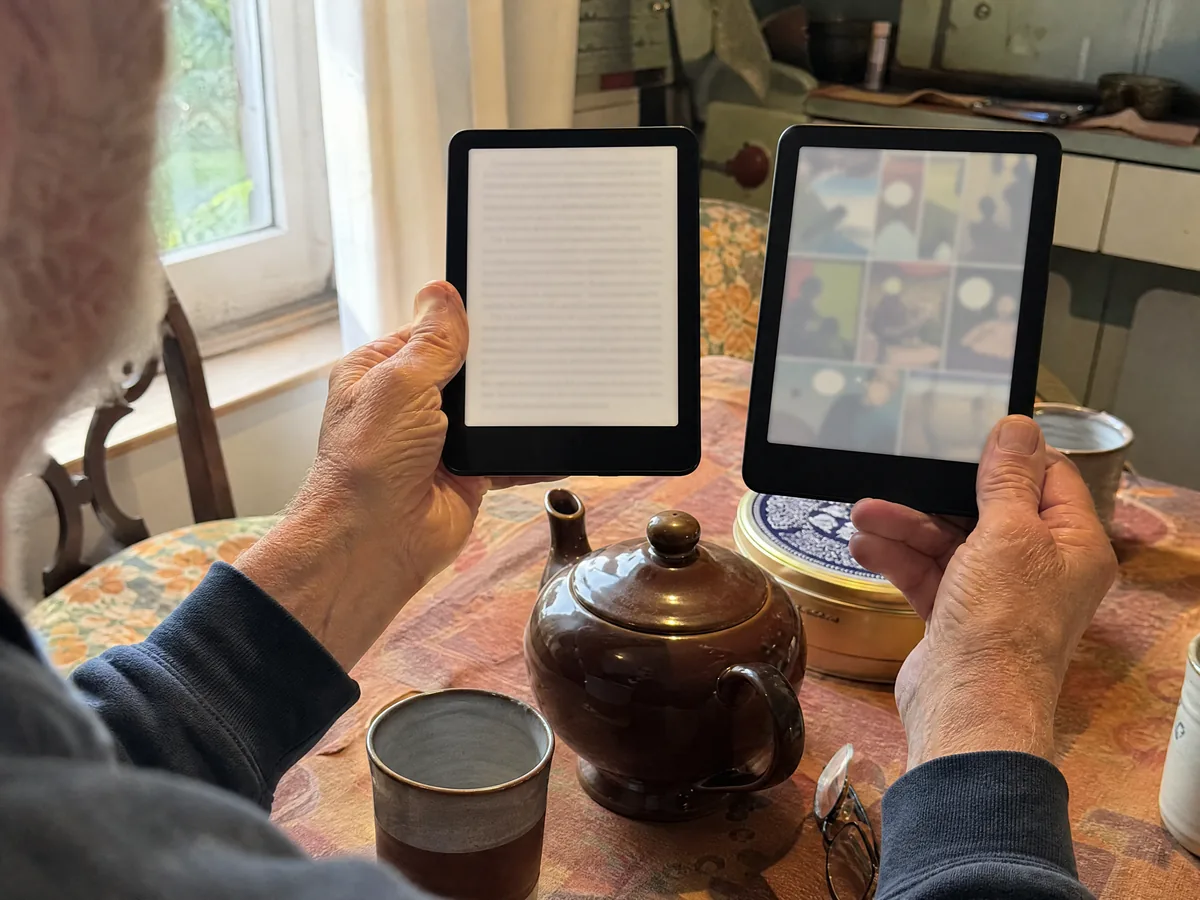
Sandra has a basic Kindle from 2019, so we compared them side by side on the kitchen table. Mine has the bigger page, so fewer page turns, and noticeably blacker text on a whiter background. Page turns are quicker too. You stop seeing the little flash between pages after the first chapter.
The front light goes from cool white to a warm amber. In bed I use the warm setting with dark mode, white letters on black. Sandra, who has glared at my reading lamp for 38 years of marriage, says it's the first one she hasn't noticed.
Outdoors you can switch the light off entirely, and that's where it leaves every tablet and phone in our house behind.
Sun, sea air and one warm bath
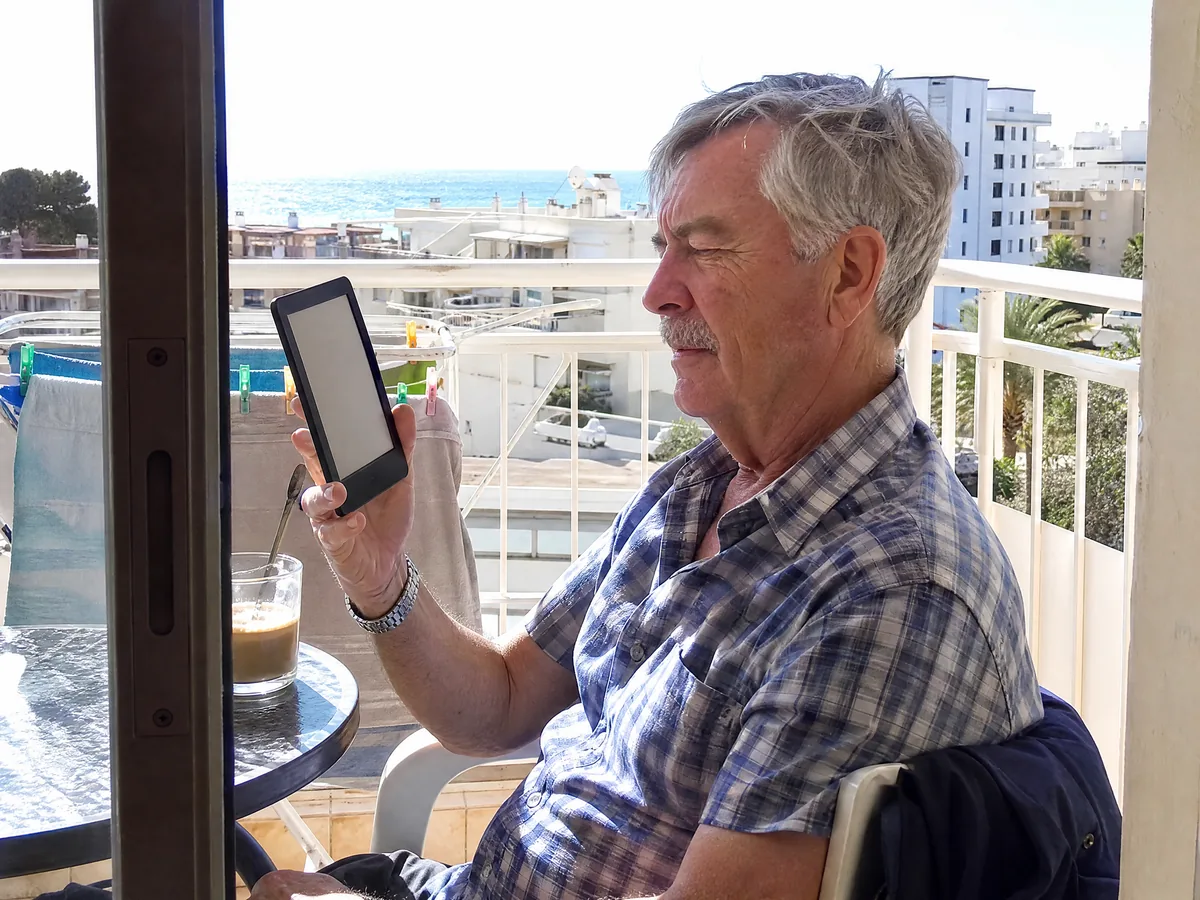
Our winter flat in Albir has a small balcony facing the sea, and between January and March I read there most afternoons, often at 2 p.m. in full sun. The Paperwhite looked like a page in a book. My phone, on full brightness, looked like a mirror with a tired man in it.
Its IPX8 rating covers an hour in fresh water as deep as 2 metres. I didn't mean to test that. One evening I dozed off in the bath with it resting on my chest, and Sandra found it at the bottom, still showing the page I'd reached. It had been under for about half a minute. I dried it with a tea towel, the screen was jumpy for ten minutes, and it's been perfect since. Salt water and sand are harsher, so after a beach day give it a gentle rinse under the tap and dry it before charging.
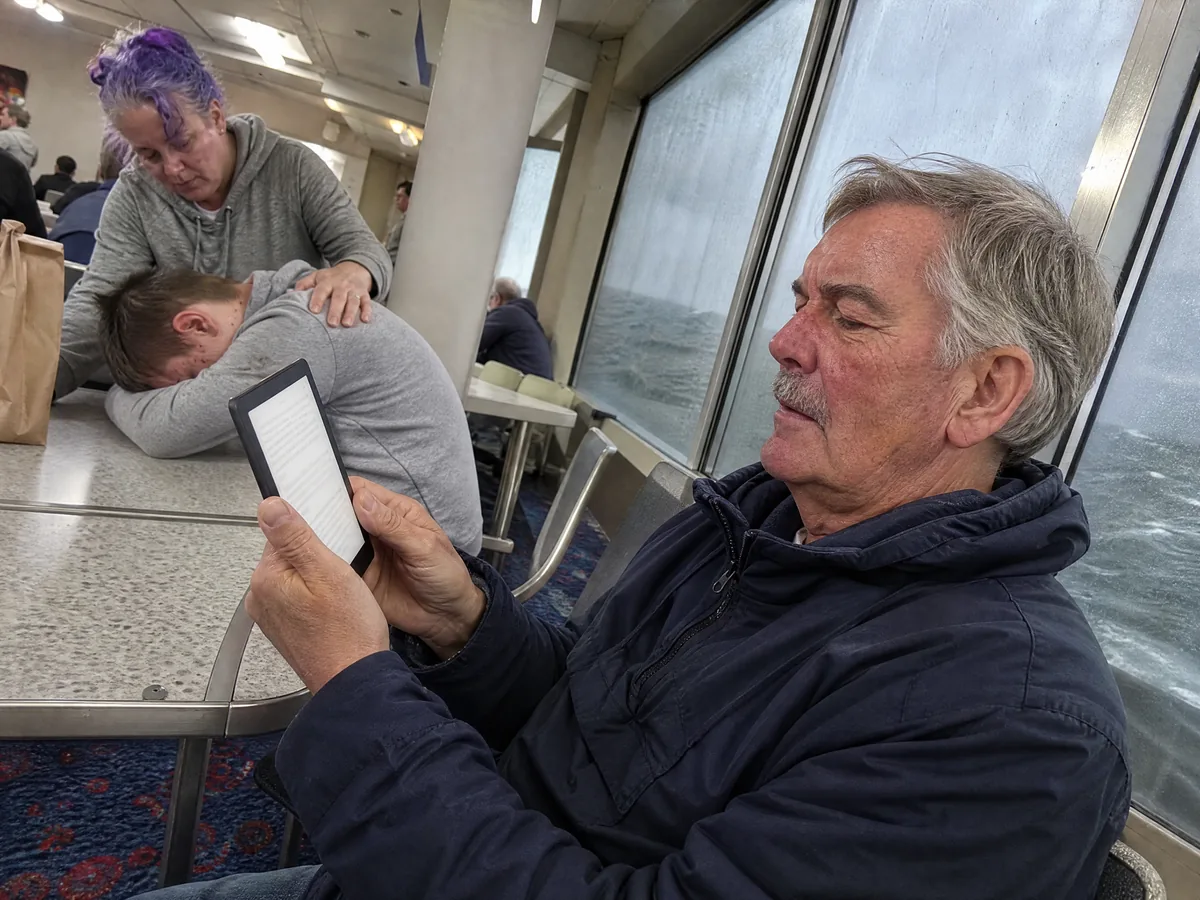
The ferry is the other test I set every travel gadget. On the Harwich to Hook of Holland crossing in March the North Sea was lumpy enough to empty the lounge. I read 110 pages, which I put down to the Kindle and not to any iron stomach of mine.
A long crossing is also the best place to see what the battery really does.
Battery: what a holiday actually uses
Amazon says up to 12 weeks per charge. Read the small print and that's half an hour a day, wireless switched off, light down low. I've never met anyone who reads like that on holiday.
I logged eleven full charges. On trips, reading about two hours a day with the light at the halfway mark, one charge lasted an average of 19 days. At home, 40 minutes before bed, it went just over six weeks. I've never packed the Kindle's own cable. The USB-C lead I already carry for my phone does the job, and from empty it's full in about two and a half hours on a phone plug.
The Colorsoft, on the same routine, lasted 13 days on holiday. A colour screen needs more light to look its best, and light costs battery. Thirteen days still covers most trips, but it's worth knowing before a long winter away.
So far, so good. Now for the catch in the title.
The catch: UK library books
In America you can borrow an e-book from your local library in the Libby app and send it straight to a Kindle. In the UK you can't. Libby still shows a "Read with Kindle" option, but it only works with American libraries. UK library e-books from Libby or BorrowBox come as protected EPUB files, and a Kindle won't open them.
I found this out with my Norfolk library card and a very long evening of trying. A Kobo e-reader, on the other hand, has the library service built in. If most of your reading comes from the library, that single fact matters more than anything else in this review.
"So the library's free, and your Kindle won't take it? That's like a car that won't take petrol from the Co-op." Sandra, who reads library books on her phone and has never let me forget it
For the record, here's where my 34 books came from: 15 I bought, 11 came from Kindle Unlimited during three months at £9.49 a month, and 8 from Prime Reading, which comes free with Amazon Prime. Kindle Unlimited is strong on thrillers, crime series and romance, weaker on big new hardbacks.
If you buy your books or already pay for Prime, the Kindle makes sense. Next question: black and white, or colour?
Paperwhite or Colorsoft?
Size-wise the Colorsoft is identical, and plain text still gets 300 ppi. Colour drops to 150 ppi, and it comes out gentle and slightly faded, closer to a Sunday paper comic strip than a glossy magazine. That's normal for colour E Ink, and pleasant enough.
The text caught me out. Put the two side by side and the Colorsoft page is a shade greyer and a touch less crisp, because of the colour filter over the screen. For novels I picked up the Paperwhite every time. For the 2000 AD collections I've read since I was fourteen, and Sandra's tapas cookbook, the Colorsoft was a treat, and flicking back to greyscale felt like switching to an old telly.
Early Colorsoft units had a known yellow band along the bottom of the screen, which Amazon traced to production and fixed. Mine, bought in March 2026, doesn't have it.
| Paperwhite (16 GB) | Colorsoft Signature (32 GB) | |
|---|---|---|
| Screen | 7 inches, 300 ppi, black and white | 7 inches, 300 ppi text, 150 ppi colour |
| Amazon's battery figure | Up to 12 weeks | Up to 8 weeks |
| Our holiday reading test | 19 days | 13 days |
| Waterproofing | IPX8 | IPX8 |
| Amber light, dark mode | Yes | Yes |
| Auto light, wireless charging | No (Signature Edition only) | Yes |
| Price at the time of writing | £159.99 with ads | £239.99, no ads |
| Where it shines | Novels, non-fiction, long trips | Comics, cookbooks, picture books |
If you mostly read novels, the answer is already clear. One last decision remains, and it's worth £30.
Is the Signature Edition worth £30 more?
For the extra money the Signature Edition doubles the storage to 32 GB, dims and brightens its light on its own, charges on a wireless pad and drops the lock screen adverts.
Thousands of novels fit in 16 GB, so the extra space only helps with comics and audiobooks. Wireless charging is a bonus if there's already a pad on your bedside table. The automatic light is the one thing I missed when switching between my two Kindles, especially on a ferry where the lounge lights go up and down all night.
Since removing the adverts costs a little anyway, the real gap between the two is smaller than it looks. Read in bed a lot? Take it. If not, the standard Paperwhite does everything that matters.
Which one, and when to buy a Kobo instead
Kindles have tended to drop in price during Amazon's big sale events, and Amazon's certified refurbished ones come cheaper with the same guarantee. That's where I'd look first, particularly while the prices are unsettled.
The alternatives we'd look at
- Basic Kindle (£94.99 with ads). Six inches and just as crisp, but it doesn't like water. A good bedside reader.
- Kobo Clara BW or Clara Colour. Smaller and usually cheaper, sold by Kobo and WHSmith, with UK library borrowing built in.
- Kobo Libra Colour. Real buttons for turning pages, something no Kindle in this review has, plus a stylus for notes. Also borrows from UK libraries.
This summer the Kindle rode in the lid pocket of the cabin case I was testing, and my Away Carry-On review, now published, explains why that case suits some UK airlines and not others. On planes I've borrowed Karen's trick of wearing noise cancelling earbuds with nothing playing, which she covers in her AirPods Pro 3 review. All our reviews are on the blog, and how we test them is set out on our how we test page.
As for the paperbacks, they still travel, just in one direction now. I take them to Albir and leave them on the book swap shelf in the lobby, where they wait for the next reader, the same as on the back seat of my coach.
Questions readers asked us
Can you borrow library books on a Kindle in the UK?
Not directly. Libby's "Read with Kindle" only works with US libraries. UK library e-books from Libby or BorrowBox come as protected EPUB files that a Kindle can't open. You can read them in the Libby app on a phone or tablet, or on a Kobo e-reader.
Is the Kindle Paperwhite waterproof?
It's rated IPX8, safe in fresh water up to 2 metres for 60 minutes. Ours survived half a minute at the bottom of a bath. Rinse it with fresh water after the beach and let it dry before charging.
How long does the Kindle Paperwhite battery last?
In our test, 19 days of holiday reading at about two hours a day, and just over six weeks at 40 minutes a day. Amazon's headline 12 weeks is based on half an hour a day with wireless switched off.
Should I buy the Kindle Paperwhite or the Colorsoft?
The Paperwhite for novels and non-fiction, because its text is slightly crisper and the battery lasts longer. The Colorsoft for comics, cookbooks and children's books, where colour makes a real difference.