
Furbo 360 review: is the treat-tossing dog camera worth it with the subscription?
Seven weeks, 21 office days and one very suspicious terrier. What the Furbo 360 does well, what the bark alerts get wrong, and the math on the subscription.
 By Sheila Tuttle, pet tester, two rescue dogs and a tabby
Tested in Knoxville, Tennessee · August 11, 2026 · 11 min read
Furbo 360° Dog Camera
About $184 for the no-subscription version, or from $54 with a required Furbo Nanny plan, at the time of writing
- Set up in 9 minutes, rotates smoothly and quietly
- Treats landed 3 to 7 feet away, jammed only with the wrong treats
- Clear 1080p view and good night vision
- Bark alerts showed us exactly when and why our dog barked
- 19 false bark alerts in the first week (TV, doorbells, the vacuum)
- Recordings and smart alerts need a paid plan
- No SD card and no battery backup
- 4x zoom gets soft fast
Our verdict: the Furbo 360 made our workdays calmer and our dog happier. Buy the no-subscription version unless you truly need recordings and person alerts, and spend ten minutes tuning the bark sensitivity on day one.
"Is he barking right now?"
I asked myself that about four times a day, every day, from the moment my company called us back to the office three days a week. I'd be in a meeting, nodding along, and picturing Waffles, the three-year-old terrier mix we brought home from the Knoxville shelter, standing on the couch and yelling at the mail truck. Duke, our old beagle mix, sleeps through everything, so I never worried about him. Waffles is the one with opinions.
I didn't really know if he barked. I just felt guilty enough to assume it. The Furbo 360 promised to answer the question, let me talk to him and even toss him a treat from my desk. I set it up on June 16 and used it for seven weeks, 21 office days in total. Here's what I learned about the camera, about the subscription, and honestly, about my dog. It started with a sticky note.
The note on our front door
Two weeks before I bought the Furbo, our downstairs neighbor left a polite note. It said, more or less, that Waffles barks "on and off from about 9 to 10" and asked if everything was okay. I was mortified. My husband Earl was mortified. Waffles was asleep on the note after I put it on the counter.
So my goal was specific. I didn't need a security camera. I needed to see when the barking happened, what caused it and whether I could calm him down from a distance. That's a very common reason people buy a dog camera, and it's a good test, because it's easy to measure.
Setting up the camera took less time than reading that note twice. Getting Waffles to accept it took a little longer.
Setup and the first suspicious day
Setup took 9 minutes. You plug in the USB power cable, open the Furbo app, pair with Bluetooth and connect it to your Wi-Fi. It works on 2.4 GHz, so if your router splits the bands, make sure your phone is on the right one during setup. That's the only snag I hit.
I put the Furbo on our living room sideboard, about 3 feet off the ground, facing the couch and the front window. The camera sees 132 degrees at a time and the whole thing turns a full circle, so from one spot I could see the couch, the window, the door and most of the kitchen floor.
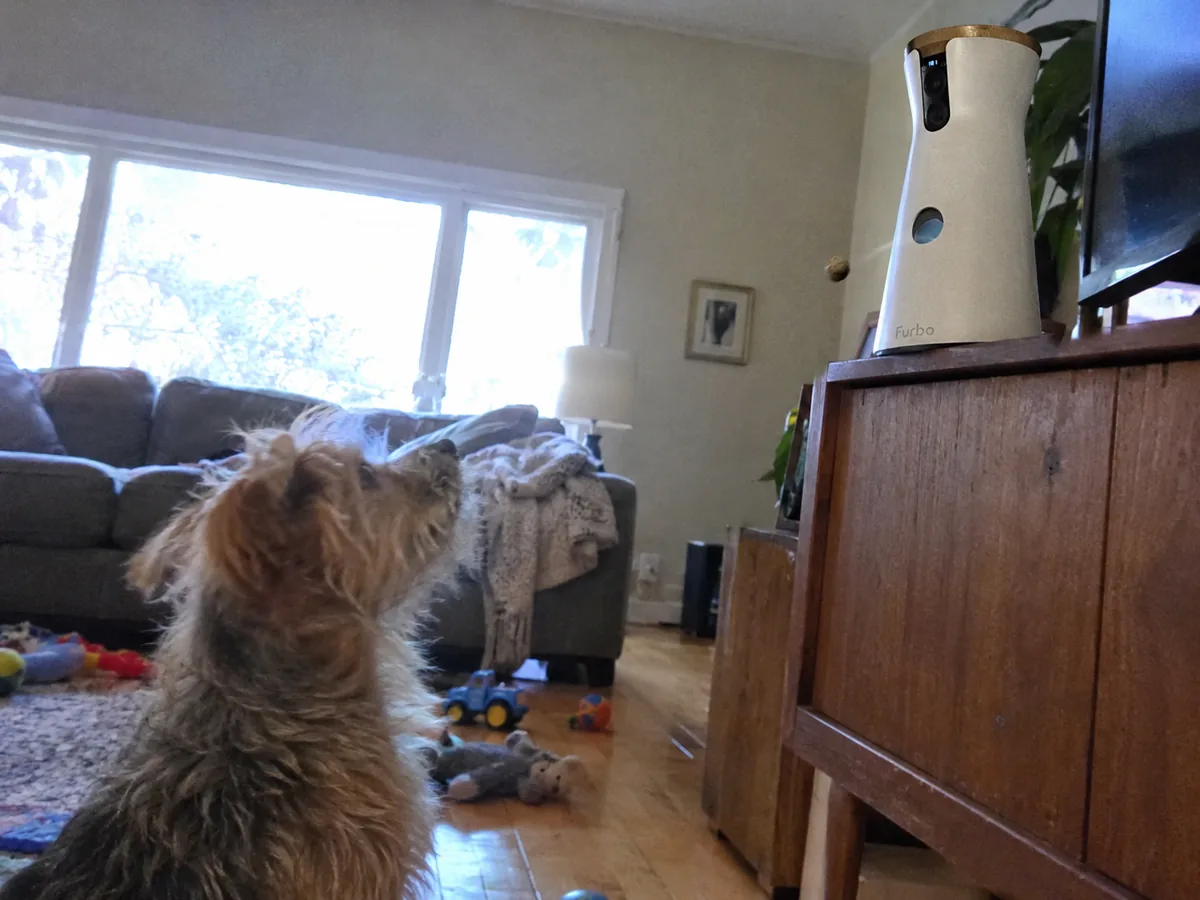
On day one, Waffles barked at the camera when it rotated. On day two, he barked at it when it spoke in my voice. On day three, a treat flew out of it, and from then on he treated it like a small, generous god. Earl named it "the treat robot," and now even our grandkids call it that when they come over on Sundays.
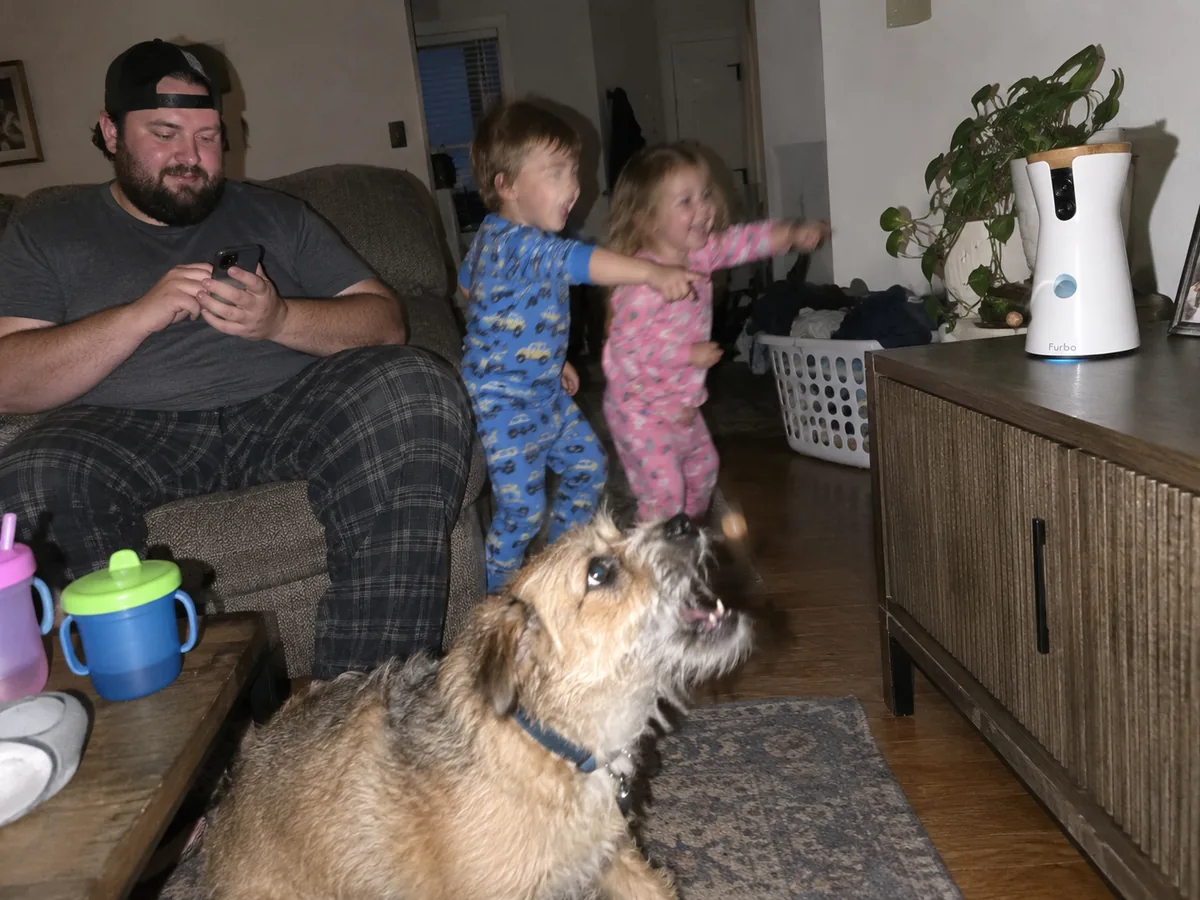
"Can I throw one? Just one. Okay, two." Our son-in-law, who threw 11 treats in 4 minutes on the first evening while the grandkids cheered
We set a house rule after that evening: three treats a day, max, and Duke gets his share by hand. That brings us to the feature everyone buys a Furbo for.
The treat toss, measured
The treat toss is the reason the Furbo exists, and it works well. You swipe up in the app, the camera plays a little sound, and a treat pops out of the front. I tossed 104 treats over the seven weeks and measured the landing spot on our hardwood floor with a tape measure for the first 40.
| What we tested | Result |
|---|---|
| Toss distance on hardwood | 3 to 7 feet, average 5.1 feet |
| Jams with small, round, dry treats (about 0.4 in) | 0 in 81 tosses |
| Jams with soft, star-shaped training treats | 4 in 23 tosses |
| Treats the hopper holds | about 100 small treats |
| Time from swipe to treat | 1 to 2 seconds |
The jams all came from the wrong treats. Soft, sticky or oddly shaped ones get caught. When I switched to small round biscuits the size of a pea, it never jammed again. The treat size you pick in the app also matters, so set it to match what you actually put in.
The camera itself is good. The picture is sharp at 1080p, color looks natural in daylight, and the night vision showed the living room clearly when Waffles got up at 2 a.m. to check the window. The 4x zoom gets blurry, so don't count on reading a label across the room. Two-way audio is clear too, which led to our funniest week. The first time I said "Hi buddy!" through the speaker, Waffles ran to the front door and waited there for 20 minutes. I felt terrible. After that I used the treat sound instead of my voice, and he got it right away.
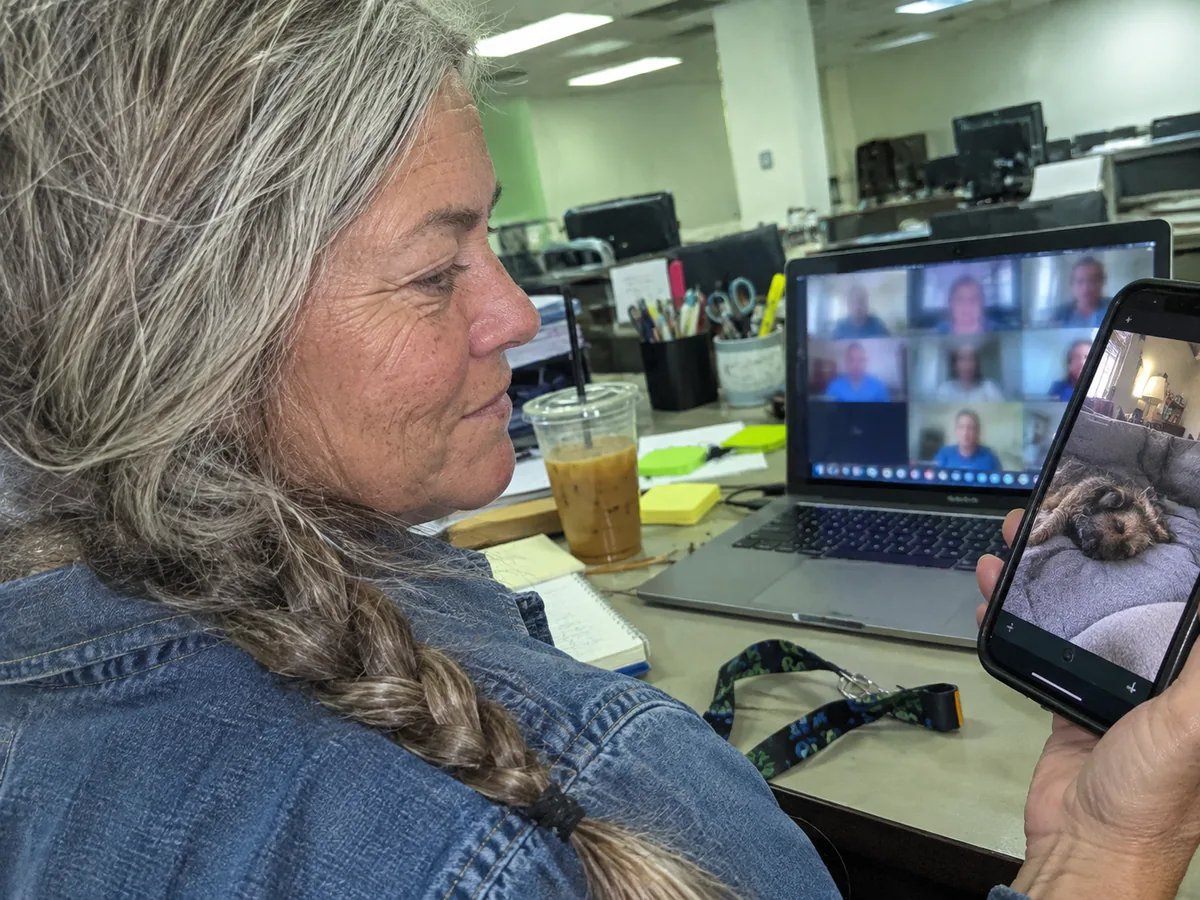
So the fun part works. The part that answered my real question was less charming at first.
Bark alerts: useful, then annoying, then useful
In week one the Furbo sent me 47 bark alerts. I checked every one. 28 were Waffles. 19 were other things: a dog barking on TV (we leave it on for him), a doorbell on TV, a delivery truck backing up, and once, spectacularly, our robot vacuum. That's a 40% false alarm rate, and it made my phone feel like a smoke detector with a low battery.
The fix was simple and I wish I'd done it on day one. I lowered the bark sensitivity one step and turned off the TV during work hours. In weeks two to seven the false alarms dropped to about one a day.
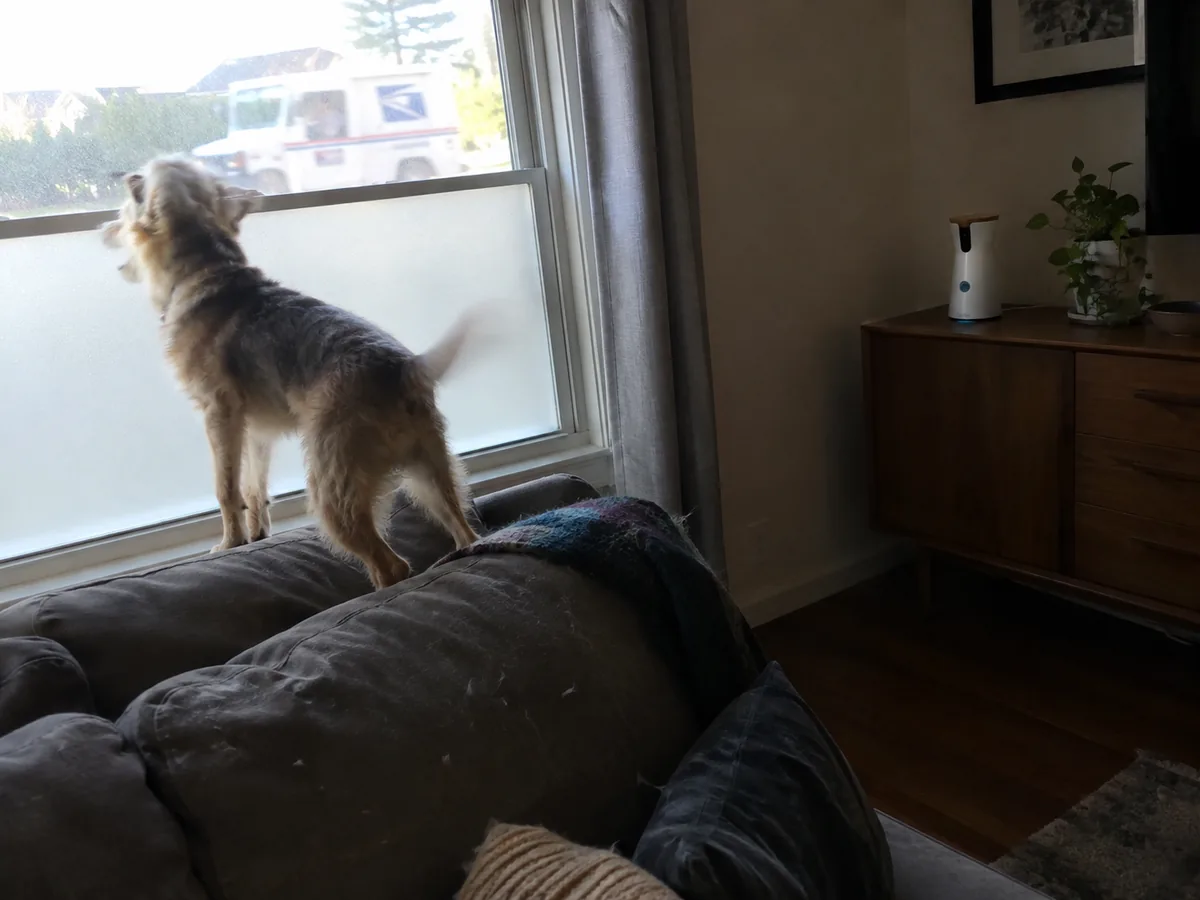
And then the alerts gave me exactly what I needed. The barking had a pattern. It clustered between 11:30 and 11:50 a.m. on every day the house was empty. The mail carrier. The neighbor's "9 to 10" was mostly the school bus and the garbage truck. Waffles wasn't sad or panicking. He was working security.
I asked the trainer from our local obedience class what to do. Her answer was practical: block the view, not the dog. We put frosted film on the lower half of the front window, which cost $17 and took an afternoon. His average went from 6.2 barking episodes per office day in the first two weeks to 2.1 in the last three. The camera didn't fix the barking. It showed me what to fix, and that's worth more.
One important note: the basic bark alerts I used are free. Many of the other alerts aren't, and that's where the Furbo gets complicated.
The two ways to buy it, and the math
This is the part most reviews rush through, so let's go slowly. The same Furbo 360 camera is sold two ways.
- No-subscription version. Listed at about $184 on Amazon at the time of writing, often discounted during sales. You get live view, auto-tracking, two-way audio, treat toss and bark alerts, forever, at no monthly cost.
- Subscription-required version. Sold for as little as $54 on Furbo's own store, but you have to activate a Furbo Nanny plan at setup. The Standard plan costs $6.99 a month billed yearly ($83.92) or $9.99 a month month-to-month, with a 3-month minimum.
Furbo Nanny adds the smart stuff: person alerts, dog activity and crying alerts, emergency sound alerts like smoke alarms, cloud video history and a daily highlight clip. According to Furbo, if you cancel the plan, the core features (live view, tracking, audio, treat toss and bark alerts) keep working.
| Cost over time | No-subscription version | $54 camera + Nanny yearly |
|---|---|---|
| Year 1 | about $184 | about $138 |
| After 2 years | about $184 | about $222 |
| After 3 years | about $184 | about $306 |
So if you only want to see your dog and toss treats, the no-subscription version comes out ahead the day your second year of Nanny renews. If you want recordings and person alerts, Nanny is fairly priced for what it does, and the cheap camera makes sense. I tried Nanny during my trial and honestly used the highlight clips more than the recordings. Earl now gets a 30-second video of Waffles's day every evening, and he watches it like a sports recap.
Two more things to know before you pick. There's no SD card slot, so nothing is saved locally without a plan. And the camera runs off wall power only, so a power cut or a Wi-Fi outage means no view.
Specs at a glance
| Spec | Furbo 360° Dog Camera |
|---|---|
| Video | 1080p, 4x digital zoom, night vision |
| View | 132° lens that rotates a full 360° |
| Treats | Holds about 100 small dry treats, 2 size settings |
| Audio | Two-way, with speaker and microphone |
| Connection | 2.4 GHz Wi-Fi, Bluetooth for setup |
| Power | USB wall adapter, no battery |
| Size and weight | 8.77 x 4.92 x 4.92 in, 1.7 lbs |
| Storage | Cloud only, with a Furbo Nanny plan |
| Warranty | 1 year |
None of those numbers tell you if it's right for your dog, though. That depends on your dog and your days.
Who should get one
One honest warning for anxious dogs. Hearing your voice with no you attached can make some dogs more upset, like Waffles at the door. Watch how your dog reacts to the first few calls before you make it a habit.
And if the real problem is that your pet's meals depend on you being home on time, a camera is only half the answer. I tested an automatic feeder on Biscuit, our tabby, right after this, and you can read how it went in our Petlibro Granary review.
Alternatives
- Furbo Mini: smaller and cheaper, 130° view, mountable. No rotation and no treat toss, so it's a simple pet camera. Good for a second room.
- Petcube Bites 2 Lite: also tosses treats, with a wide fixed lens instead of rotation. Worth comparing if you want treat tossing and a different app.
- A basic pan-and-tilt home camera: much cheaper, and it can record to an SD card. No treats and no bark detection tuned for dogs, but fine if you just want to peek in.
We look at pet tech the same way we look at everything else: weeks of use in a normal home, logged results and the costs you'll really pay, as described on our how we test page. You can compare our current favorites in the reviews.
Seven weeks in, the treat robot is staying on the sideboard. The neighbor hasn't left another note, and I've stopped asking myself if Waffles is barking right now. I just check.
Questions people ask
Can you use a Furbo without a subscription?
Yes, if you buy the no-subscription version. It keeps live view, auto-tracking, two-way audio, treat toss and bark alerts with no monthly fee. The cheaper subscription-required version needs a Furbo Nanny plan to activate.
How much is Furbo Nanny per month?
At the time of writing, the Standard plan costs $6.99 a month billed yearly ($83.92 a year) or $9.99 month-to-month with a 3-month minimum. Prices change often, so check before you buy.
What treats work best in the Furbo 360?
Small, round, dry treats around 0.4 inch across. In our test they never jammed. Soft or star-shaped treats jammed 4 times in 23 tosses.
Does the Furbo stop a dog from barking?
Not by itself. It shows you when and why your dog barks, which helps you fix the cause. For us it was the mail carrier, and a $17 window film cut the barking by about two-thirds.